Your own riders, from the counter to the guest’s door
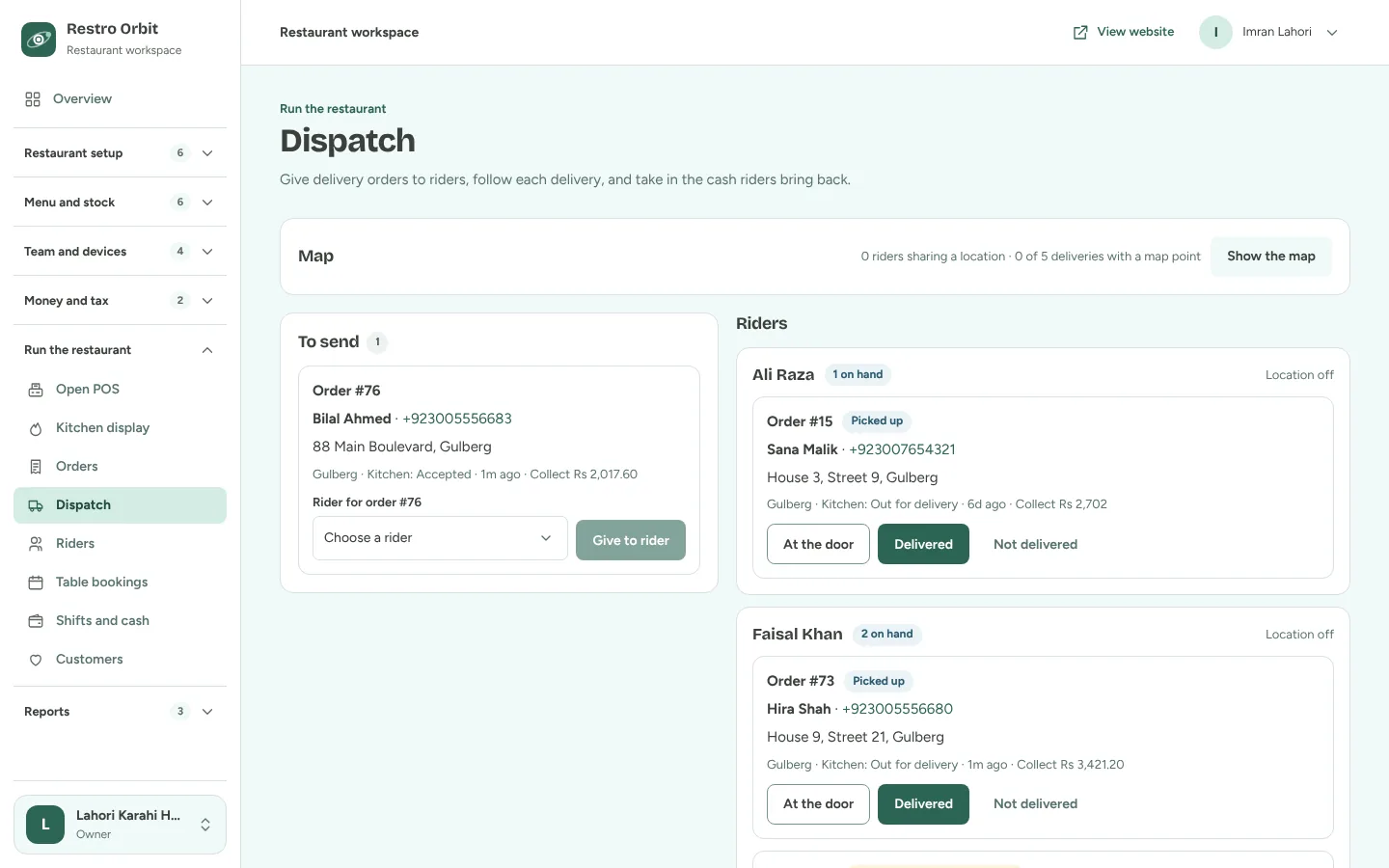
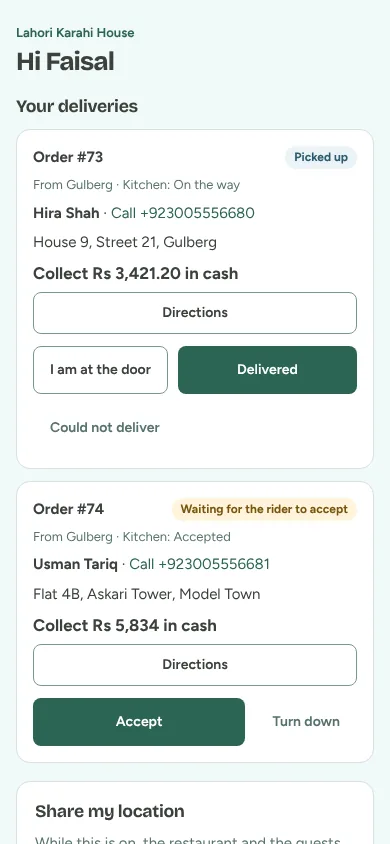
Give delivery orders to your riders on one dispatch screen. Riders take each order step by step from their phone, the guest gives a code at the door, and the cash comes back into the till.
What it does
- Dispatch
- Orders to send, each rider with what they carry, and deliveries that did not go through, on one screen.
- A page on the rider’s phone
- Riders open their own link: no app to install. Accept, picked up, at the door, delivered, or not delivered with a reason.
- A code at the door
- The guest sees four digits on their order page and tells the rider, so the order is marked delivered only at the right door.
- Riders without a phone
- Staff can do every step for a rider from dispatch.
- Cash back into the till
- Cash a rider collects stays with the rider until it is received into a shift, so the Z report adds up.
- Maps
- Pin each branch, draw delivery rings, and see riders and drop-offs on a map. Guests can pin their door.
How a delivery goes
Give it to a rider
Accepted delivery orders wait on dispatch. Pick a rider and give it to them.
The rider takes it
The rider accepts on their phone and marks it picked up when they leave.
Delivered with the code
At the door the guest gives their code and pays the rider in cash, or nothing if they paid online.
Cash into the till
Back at the branch the counter receives the rider’s cash into the open shift.
See it working in your restaurant
Tell us about your restaurant and we will set up a demo with your own menu and branches.